Tuesday, 11 October 2016

Analyzing 3D modelling, animation and environments


What are 3D models used for?

3D models are used in many different forms of media such as TV, Games, Movies etc, they can be used to create a character or object to place into a game environment and later can be animated, however they aren't only used for games as they can be used to 3D print objects in real life, create plans when creating new buildings or make animated videos which would be used for special effects such as explosions  and fire and characters. which could then be applied to a model of the body and limbs to create a character model to put inside a game or movie ready to be animated in order to enhance the quality and fluidity of the character. This only applies to 3D games/movies as 2D animations use sprites instead of models.


Flow chart of 3D modelling

Mesh Construction
One of the most popular pieces of 3D modelling software is Maya (other examples being Cinema 4D and AutoCAD)which is where the meshes will be made. the mesh is the collection of edges, vertices and faces to make the 3D model. where you start with a simple shape and slowly modify it to become the finished product as shown in the picture below where a box was modified bit by bit to look like a human head as seen with the wireframes, this called box modelling and usually consists of extruding faces of the shape outwards until it looks more like the object you are making, then smaller details are added such as the nose and mouth if making a face for example.
a box being made into a model of a human head


Image result for mesh construction


Geometric Theory
Geometric theory is the collection of all the components of a 3D model such as edges(lines connected to the vertices), vertices(corners of each face), polygons(the shapes containing the faces), surfaces(the shapes that make up the object and will have textures on them)and faces(the shapes that go around the edges), these all form to create an element(the finished object)


Shaders
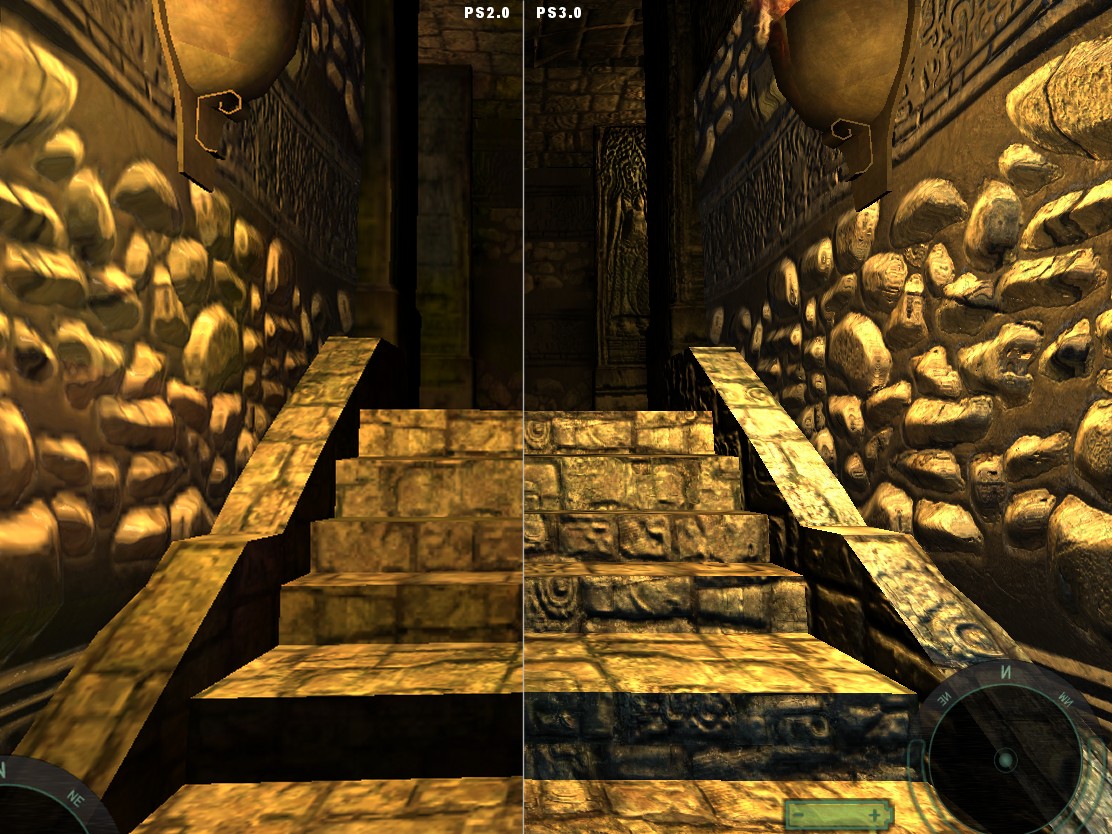
Pixel and vertex shaders are both GPUs(Graphics Processing Unit) that can add shading to an environment in different ways. none of them are better than the other as they are just different styles of shading, vertex shades can be used to add cartoony silhouettes to the edges of the environment as seen in borderlands. Pixel shaders are used to create more realistic shaders by adding extra details such as facial hair to characters or adding more texture to objects using the shading. Generally most software can use both types of shading

vertex shading

pixel shaders
Graphics
Direct3D and OpenGL are APIs(Application Programming Interface) that are used to render 3D graphics in games. these APIs enable features such as mipmapping, HLSL shaders and spatial anti-aliasing which will improve the overall picture.The diagram below shows how Direct3D renders 3D graphics.


Constraints
Making and rendering 3D models can be a lengthy process and takes up lots of memory which will mean you should get an external hard drive when working with 3d models as you could easily run out of memory, your PC should also be fairly high end to be able to run these programs at a stable framerate

3D development Software
3D development software is what you can make 3D models in, examples are maya, 3D Studio Max, AutoCAD and lightwave. 3D models are usually saved in the following formats: .3DS, .B3D and .OBJ

3D Models in architecture
3D models can be used to create prototypes for buildings as you can recreate the plan without having to actually build anything, when the planning is


https://msdn.microsoft.com/en-us/library/windows/desktop/ff476882%28v=vs.85%29.aspx?f=255&MSPPError=-2147217396

http://stackoverflow.com/questions/832545/what-are-vertex-and-pixel-shaders

https://en.wikipedia.org/wiki/Direct3D

https://msdn.microsoft.com/en-us/library/windows/desktop/ff476882%28v=vs.85%29.aspx?f=255&MSPPError=-2147217396

https://yellowdog.co/2016/01/28/which-is-the-best-render-engine/

Wednesday, 5 October 2016

Killer Klowns game brief


Level Design Idea.
Plot: A man/woman was abandoned by a taxi driver on the road, due to some issue with the road ahead. The character is given directions quickly before the driver drove away. The character (man/woman) then travels through a natural environment (Level 1). In this level you are introduced with combat, due to a wild animal wanting to kill you. Then finally you arrive at a village (Level 2) The character wants to find the reason on why most of the population of the village has left so suddenly. With t problems talking to the villagers due to them locking themselves in there homes. the character then sets of to the main square, which he finds a clown in centre of. The clown then fights you with some help of other clowns. When the clowns are killed one of the villagers shouts you over and explains. The person explains on the history of the village and the "Killer Clowns" and where they live. This then takes you to the "Killer Clown tent" (Level 3). The villager that most of population didn't leave and in fact have been taken. Your objective is to collect (save) them before they are killed. When all the villagers are safe the character/player has to fight the boss in which eventually killed all the clowns in the place.

Weapons: Mostly melee but the odd fire-arm
Guns are less likely to be found compared to the melee weapons and so you will have to explore the game more to find these weapons.

Genre: Third Person-Shooter (with some other styles involved in mid-game).
It also allows free-roam which you can explore the map in more depth.

Platform: This would be made primarily for PC, yet could work for other platforms such as the console or mobile device.

The Main Screen:
When in the main screen for the game it will have two options:
"Play"
"Chapter"
The title screen will have 3 original backgrounds relating to the level:
Level 1: Will have a peaceful background of a mountain side and a lake.
Level 2: Will have a village in the background with some clowns seen in the shadows.
Level 3: Will have a clown and a tent in the background.
These images will be taken when you "PrtScn" the level. The animations will be created individually.
The main title screen will be identical to the last level design with some miner tweaks.
A idea would be a clowns eye following the selected option (play/chapters) or for PC it would follow the mouse cursor.

Level 1.
This will be designed by: Me
This will be based in a natural environment, that is peaceful and untouched.
This level will be set in the morning.
Ideal objects created:
Rocks, water, path, trees, mountains, grass, cliffs etc.

Information: This level won't have any proper combat compared to the other levels as the characters are investigating the klown tent and they wouldn't have weapons going in, they will have to stealth their way past the klowns whilst exploring, if a player gets caught they will be chased until either the klown catches up and kills you or you lose them by finding a hiding spot, before escaping the player would have to find the room filled with all the human bodies which are encased in cocoons, the player would find their first weapon here and it would end with the player running away from a horde of klowns and out of the circus tent whilst avoiding obstacles and enemy projectiles that would slow them down.

Level 2.
This will be designed by: Luke Anderson
This will be based in a village that has little to no people in it, due to its stories of the "Killer Clowns"
This level will be set at mid-day. and have much vegetation due to many people not leaving there homes.
Ideal objects created:
House, rocks, grass, trees and other items related to the village etc,

Information: Level 2 is the second level and less places for the player to hide from the Klowns. The player will have the ability to find melee weapons easiest in this stage and there will ranged weapons scattered about the town. Their will be klowns in the street which you can sneak around but there will enough melee weapons to fight the klowns but not enough for you to beat all of them.
When you head to the police station to get weapons, a clown how is controlling Officer Mooney like a puppet will attack you as a boss. The boss can use: Officer Mooney's gun, his baton and his taser. To defeat the boss you have to attack the klown that is controlling Officer Mooney, you only need to attack the klown three times but he is using Officer Mooney as a shield so you can't attack him until he lets his guard down to taunt at you.


Level 3.
This will be designed by both of us
This will be based in the abandoned circus which no one dares to enter.
This will be set at night.
Most of the level will be set inside the tent, however the level will contain a outside environment.
Ideal objects created:
Clowns, tent, environment (objects), and simple puzzles.

Information:
Level 3 is the last level and has a much different game style in the game. In this level when you enter the tent the player will drop their gun and lose it. The player will be vulnerable to the killer clowns until the player finds a weapon of some sort. Having no weapon makes it difficult to kill the clowns which results into the player having to make up a strategy when avoiding the clowns. This makes the player go through the maze hoping they find all the collectables (survivors) before being found by a clown.
When all survivors are found a exit will be shown and which you can go through. When the player exits they have to fight a boss which cannot be damaged by bullets, yet can be damaged by the surroundings. The boss brings in a wave of clowns which you have to kill, after each wave is destroyed a item will glow that you can shoot, this will damage the boss (clown). The boss has 3 weak spots that results into having 3 waves, each wave gets increasingly hard.
When you kill the boss all the other clowns will be killed and all the items relating to clowns such as the tent would disappear. Then a small credits screen will appear, which would then take you to the main menu.

Tuesday, 27 September 2016

Game Engines Assignment Unit 70

Game Engines
In this assignment I will research different open and closed game engines that are used to build the games that we are playing now and compare them.

What is a Game Engine?
A game engine is what runs the game and keeps the experience the same for all platforms regardless of the operating system used by each platform an example being a game released on Xbox, PlayStation and PC would all play roughly the same barring things such as controls, performance and quality of the graphics for example the Console port of a game may be locked at 30fps due to hardware limitations whilst the PC port of the game may run at 60fps and have a higher resolution as there are less restrictions on more powerful PCs, the reason this works is because the game engine acts as a way to "hide" the operating system which would normally prevent the game from working on all platforms. The game engine is where all the game assets will be located such as the physics engine(Such as the "Havok" engine), audio engine(Such as Miles Sound System), models, AI(Artificial Intelligence), code and textures. Some of these assets will be made outside the engine such as the models which could be made in programs such as "Maya" but will then be imported into the engine to be used in the game.


Open Game Engines
Open game engines such as "Unreal" and "Unity" can be used by anyone and are generally free to use. These are good engines to begin with as they are used often within the industry and are easy to access. Unity is well known for being the game engine used for a lot of mobile games however it can be used for other platforms too, the free version isn't quite as advanced as most popular engines but the paid versions have been used to make some very well received games such as "Thomas was alone" and "Temple Run". Unreal has been used for many popular games on Consoles and PC such as the "Borderlands"series of games and "Bioshock Infinite" as well as other diverse genres such as RPG's and stealth games.
Bioshock Infinite: Made in Unreal Engine

Image result for frostbite engine
Frostbite Engine Logo


Closed Game Engines
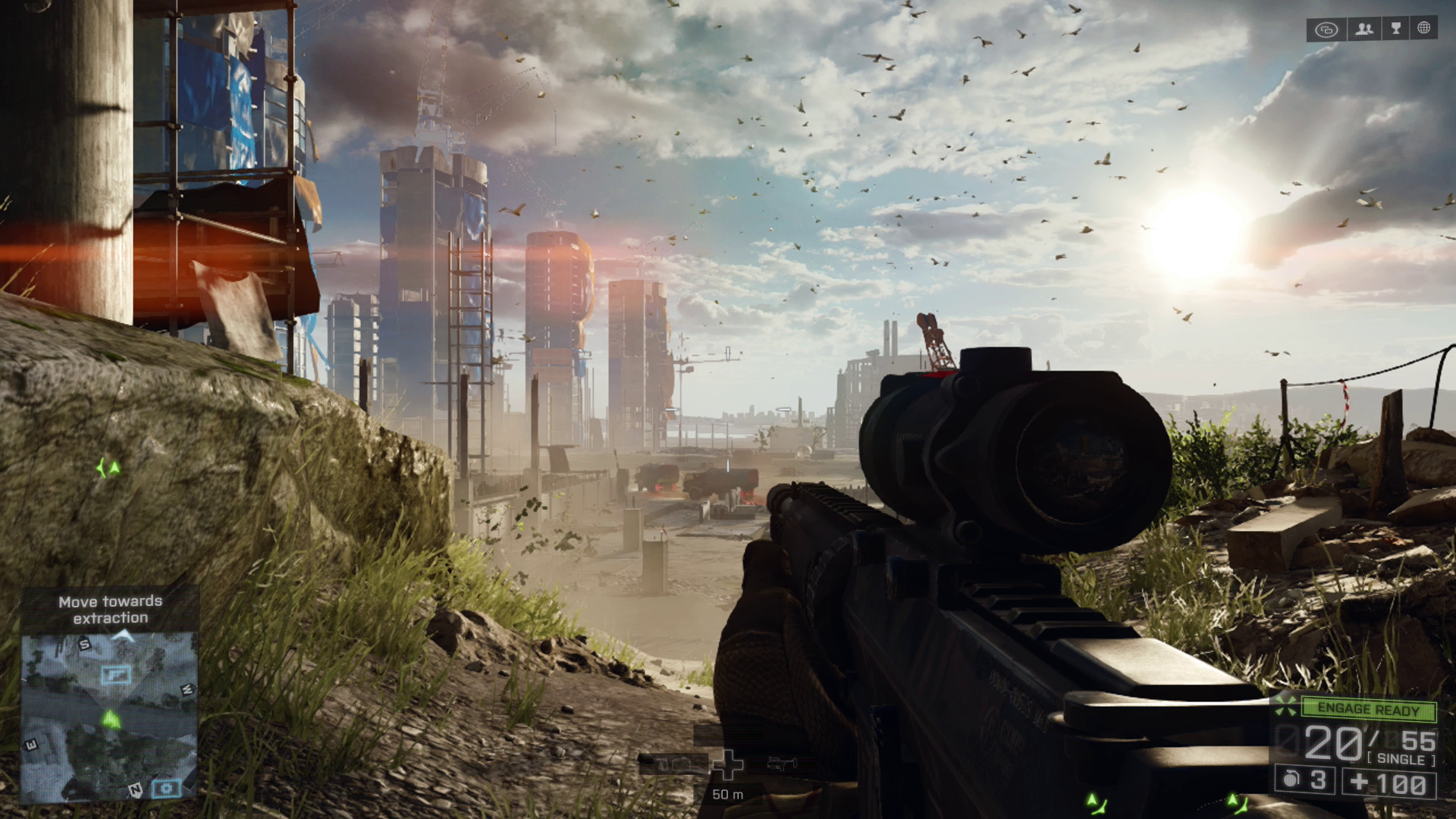
Closed game engines are owned by a specific company and can only be used by that company such as Rockstar's "Rage" engine which is used in the "GTA" series and EA's "Frostbite" engine which is mainly used for the "Battlefield" games. As these engines are specific to big companies they are generally used by more experienced developers. Some of the closed game engines are built off of other game engines such as the "GoldSource" engine used by Valve to make games such as Team Fortress Classic, Counter-Strike, and Half-Life which is a modified version of the "Quake" engine Which then was modified further to create the "Source" engine which was used to make games such as Team Fortress 2 and Half-Life 2. A "Source 2" engine has since been made but currently only has one game released for it, "Dota 2".
Image result for battlefield4 screenshots
Battlefield 4: made in Frostbite Engine


Image result for Rage Engine
Rage Engine Logo


Notable examples of game engines

Cryengine was produced by Crytek, a German development team, Cryengine supported the PS3 and Xbox 360 and has since been updated up to Cryengine V which supports the latest generation of games consoles (PS4 and Xbox One) and has access to the DirectX 12 API allowing for more realistic 3D graphics , it is home to the very popular Far Cry series and the Crysis games. Cryengine was modified by many third party developers, one example being Cloud Imperium games who made Squadron 42 and Star Citizen using a modified version of the engine. The official build of Cryengine was also used to make some third party games under Crytek's licensing scheme such as Sniper:Ghost Warrior 2.
CryEngine Logo

Quake was produced by id software and was home to the game of the same name. The engine featured full 3D environments and models which were used to make multiplayer first person shooters and uses the Vérité 1000 graphics chip with OpenGL support coming later on it was later modified to make the Goldsource engine and later Source engine 1 & 2 were made. These were home to many famous valve games such as the Half-Life and Team Fortress games (which still have active fanbases to this day). The official Quake 2 engine was changed to be called the id tech 2 engine which led to id tech 3 which was later modified by Infinity Ward to create the IW engine which is still being used to this day to create the Call of Duty games . The Quake engine has been one of the most modified engines to date.
Quake logo

IW engine is a closed engine made by Infinity Ward and is home to the insanely popular Call of Duty series, it was built from the id tech 3 engine and supports the current and last generation of games starting with the Xbox360, PS3 ,Wii and PC then upgrading to the Xbox one, PS4 and Wii U, the engine was first used to make COD 2 and has been used in every COD game to date as it upgraded over time to create IW engine 5.0. The games haven't necessarily used the engines in order as they tend to use a modified version of the engine the previous entry in that series used for example, Black Ops 2 used a modified version of Black Ops 1's engine and Black Ops 3 used an even more modified version of Black Ops 2's engine. The engine supports DirectX 11 and HDR lighting.
IW logo

Unreal Engine is a game engine made by Epic Games and was originally the home to Unreal tournament in 1998. The engine is currently open and is a very popular choice for new developers and students. It was primarily used to make first person shooters but has been used to make many other game genres such as stealth games, RPG's and MMORPG's. In 2002 Unreal Engine 2 was released which added support for the Gamecube and Xbox, Epic only officially supported the Xbox and so the Gamecube and PS2 were left to Secret level to support, . Unreal Engine 3 was released in November of 2005 with support for Windows, Xbox 360 and the PS3 (and Android and IOS later in 2010). The first Console game to be released in Unreal 3 was "Gears of War". It wasn't until 2012 that Unreal 4 was released which offered support for the Xbox One, PS4, Windows, Mac, Linux, IOS, Android, SteamOS, HTML5 and a variety of VR systems. Currently Unreal engine 4 is the latest version but the game engine is still being updated to fit each new generation.

Image result for unreal engine
Unreal Engine Logo

Gamebryo was produced by Numerical design limited(in 1991)which then was merged into Emergent game technologies in 2004, the engine has been used by many different developers such as Bethesda and Rockstar Vancouver(which closed its doors in 2012 to merge with Rockstar Toronto) to create games such as the Fallout franchise, The Elder Scrolls franchise and Bully:Scholarship Edition. Gamebryo is currently on version 4.0 and has been updated to support each generation of games. The engine supports Windows DirectX 9, 10 and 11 as well as OpenGL.
Gamebryo logo


Sources:
https://en.wikipedia.org/wiki/List_of_game_engine
Cryengine
https://www.cryengine.com/showcases
https://en.wikipedia.org/wiki/CryEngine
https://en.wikipedia.org/wiki/List_of_CryEngine_games
Quake
https://en.wikipedia.org/wiki/Quake_engine
IW Engine
https://en.wikipedia.org/wiki/IW_engine
https://en.wikipedia.org/wiki/IW_engine#Games
Unreal Engine
https://en.wikipedia.org/wiki/Unreal_Engine
https://www.unrealengine.com/what-is-unreal-engine-4
https://en.wikipedia.org/wiki/List_of_Unreal_Engine_games
Gamebryo
https://en.wikipedia.org/wiki/Gamebryo
https://en.wikipedia.org/wiki/Gamebryo#Games


Tuesday, 26 April 2016

10 Questions

10 Questions

So what did you think of the assignments?
The assignments were a fun and interesting experience as it gave me experience making a variety of games.

How would you rate the assignments in terms of difficulty?
The assignments were a mix of easy and hard, generally the ones that needed more code were harder

Which ones were easy? which ones were harder?
The maze game was fairly easy but the Space Invaders game was a little bit challenging as there was more code needed.

In the Space Invaders game, name one thing you learned during its development
I learned how to make more fleshed out enemies instead of moving objects that you can just stay away from

In the maze game, name one thing you learned during its development
I learned how to make interactive objects such as buttons which would make levels more interesting

Did you learn any maths during this experience?
I don't think I learned anything new that was maths related

Do you think you gained any maths when you did any puzzles for the maze game
No

How do you rate your maths
Decent

How hard did you find the maths during these assignments
The maths wasn't particularly challenging.

Do you think your opinion towards maths has changed?
Not really

Thursday, 14 April 2016

Sound Video for assignment

BTEC Extended Diploma in Games Development
Unit 73 Sound for Computer Games

Assignment 2: Creating and applying sounds to a specific game

Tuesday, 12 April 2016

Blogging about Space Invaders

Reason for choice

The reason I chose space invaders over the blackjack game was because I am not confident enough with my coding skills to be able to make a good blackjack game.


Sprites
For the sprites I tried to make them look as close to the original game as possible to give it a retro look, some parts of the game were changed however to make it a bit more unique


Player
This sprite is an exact lookalike of the original space invaders sprite however I made it a much higher resolution so that it would look sharper when enlarged  


Aliens
As with the player I made replicas of the original sprites, with this game I added bosses which are just enlarged aliens, for these I made higher quality sprites since they would be bigger and would look worse if they were just stretched sprites

Barriers
The barriers work slightly different from the original game as instead of using code I made these sprites to represent different levels of damage and then stacked them on top of each other so the fully fixed barrier is destroyed first and then the sprites get more damaged until there isn't anything left 


Bullets
I made different looking bullets for the player and enemy, the player has a straight line for a projectile whilst the enemies have a lightning bolt shaped bullet, the bullets can collide and cancel each other out in-game.


Spaceship
The spaceship in this game is used as a boss instead of a way to get extra points, I made the sprite a bigger version of the original sprite and used it as a boss in the final level


Objects
Player: inside this object I used a mix of code and the drag and drop options to give the player the ability to shoot and move. Most of the things required to make the game work are in this object.


The code to the left is what allows the player to fire bullets and the delay between firing as it creates a bullet object that will then rise. The code above makes the game restart once the player loses all their lives. I also included a drag and drop command to make a spark effect that makes a trail from the player to add a bit more visual flair to the game


The only other important stuff is in the bullet objects as it has to collide with the enemies and kill them which is a core element of the game, no code is required as I just had to set vertical speed and make it kill enemies and cancel out other bullets whilst also destroying itself when it connects to these objects


Gameplay


Thursday, 25 February 2016

3 Games in one assignment

BrainBox
Design Brief: A GCSE grade C Maths game with at least 5 levels
Customer:15-16 year old students of any gender who are studying GCSE maths
Sprites:

BrainBox/Player (Spr_Player)

This is the main character for my game,BrainBox, it is a brain encased in the cockpit of a flying metallic cube. The original design looked very bland so I decided to add a screen with a smiley face onto the cube to give it more detail.


Goal/Fake Goal (spr_goal/spr_fakegoal)

This is what the player has to interact with to answer the question. In each level there is 1 real goal and 3 fake goals that will each have an answer next to them. The right answer will be placed next to the real goal and the fake goals will all have wrong answers beside them, touching the wrong answer will restart the current level. The real and fake goals look exactly the same so you will only be able to find the right goal by answering the question correctly.


QuestionBlock (spr_question)                                                                                                                  

This is how the player will be given the question, once the block is touched a message will pop up on the screen which will tell you the question that you must answer. I made the sprite very colourful so that it would stand out from everything else on screen which would make the player want to investigate it which would teach them about how it works.
laser(spr_laser)
This laser would act as a barrier which can kill the player if they make contact with it. it would be deactivated by a button, enemies would be able to pass through the laser


lasercannons(spr_lasercannon_up/spr_lasercannon_down)                                                                                                                               
These objects act as ends to the laser beam and are purely cosmetic. There is a version facing up and a version facing down


Rooms


This is the first room, the question is: what is the mean of 3,2,3? the correct answer is 2.7. There are two enemies in this room so that the player has time to think about the answer. for the background I made a grey square with warning signs placed at regular intervals, this represents the theme of my game which is set in a high tech prison that you must escape from                                                                                
Below is the second level, this level is harder than the first as it has 4 enemies instead of 2. The question is 5x0.5 and the answer is 2.5. For testing purposes I made each number on the keyboard teleport you to the corresponding level in order to skip more challenging levels when testing

The question in this room is what is the reciprocal of 3/4. the answer is 4/3. there are 4 enemies here to keep the difficulty hard but possible
this is the fourth room,the question is "what is the interior angle of an equilateral rectangle", the answer is 90 degrees and there are 4 enemies in the room 

This is the last of the main rooms, the question is (−6)−(−7), the answer is 1
this room acts as an ending to the game. there is a button in the middle of the room which will clear the laser barriers. You must then collect the trophy which will give the player a congratulatory message and then end the game


Interactive objects


Lasers and Buttons: These lasers block the player and enemies, if an enemy touches them they will stick to it until it is turned off, if the player touches it they die. To turn off the laser you must find and press a button as shown in the picture.


Question Boxes: when touched they make a text box appear, this can be used to give instructions or in this case, tell you the question you need to answer. the question box can be used an infinite amount of times.


Feedback
Kori:"The Game was fun to play and had some unique qualities within it. I do like the overall design and function of the game. I would recommend next time to make the rooms bigger with less space to move around (Maze game) and to show clearly the answers for the questions."